How to Skip Records in Canned Reports Using Print When Expression

Hello Team,

We are using open source BI Helical Insight 6.2.0.952 GA. How can we hide or show specific records in a Helical Insight Canned Report when a particular condition is met?

For example, if the status column value is “INACTIVE”, we do not want that row or field to be displayed in the report output.

Is it possible to achieve this using the Print When Expression property?

Thanks,
Snow.
Hello Snow,

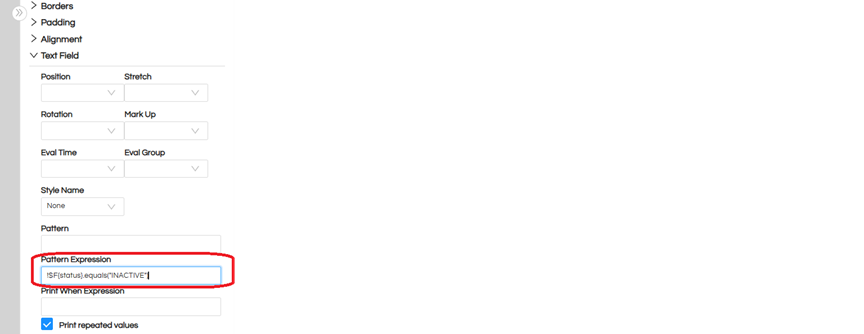
Yes, this can be achieved using the Print When Expression property in the Canned Report component.

To hide records when the status is “INACTIVE”, use the below expression:

!$F{status}.equals(“INACTIVE”)

Explanation

If the status is “INACTIVE”, the expression returns false

The record/component will not be displayed

All other records will be shown normally

image

Alternative Condition

If you want to display records only when the status is “INACTIVE”, use:

$F{status}.equals(“INACTIVE”)

Useful for dynamically controlling the visibility of rows or report sections in canned reports based on specific conditions

Thank You,
Helical Insight.