Hi @TheDave ,
We were able to resolve the Apache Drill connection and metadata-loading issue in Helical Insight EE 7.0.1.278 RC1. Please follow the steps below.
1. Keep Only One JDBC Driver
We found both drill-jdbc-all-1.17.0.jar and drill-jdbc-all-1.20.0.jar in the following directory:
/usr/local/Helical Insight/hi/hi-repository/System/Drivers/
- Kept
drill-jdbc-all-1.20.0.jar.
- Renamed
drill-jdbc-all-1.17.0.jar to drill-jdbc-all-1.17.0.jar.bak to prevent driver conflicts.
2. Update the JDBC URL Configuration
Open the following file:
/usr/local/Helical Insight/hi/hi-repository/System/Admin/databaseDrivers.properties
Find the Apache Drill URL template and update it.
Before:
#Apache Drillorg.apache.drill.jdbc.Driver=jdbc:drill:{{hostName}}:{{port}},31010
After:
#Apache Drillorg.apache.drill.jdbc.Driver=jdbc:drill:drillbit={{hostName}}:{{port}},31010
The important change is adding drillbit= to establish a direct connection to Apache Drill instead of attempting ZooKeeper cluster discovery.
3. Configure the Datasource
In Helical Insight, navigate to Metadata / Datasources → Create Datasource and configure:
-
Datasource Name:
Drill_FlatFiles
-
Driver Class:
org.apache.drill.jdbc.Driver
-
JDBC URL:
jdbc:drill:drillbit=apache-drill:31010
-
Username/Password: Leave blank if authentication is disabled and the UI permits it.
Click Test Connection and save the datasource after the connection succeeds.
4. Verify CSV Access
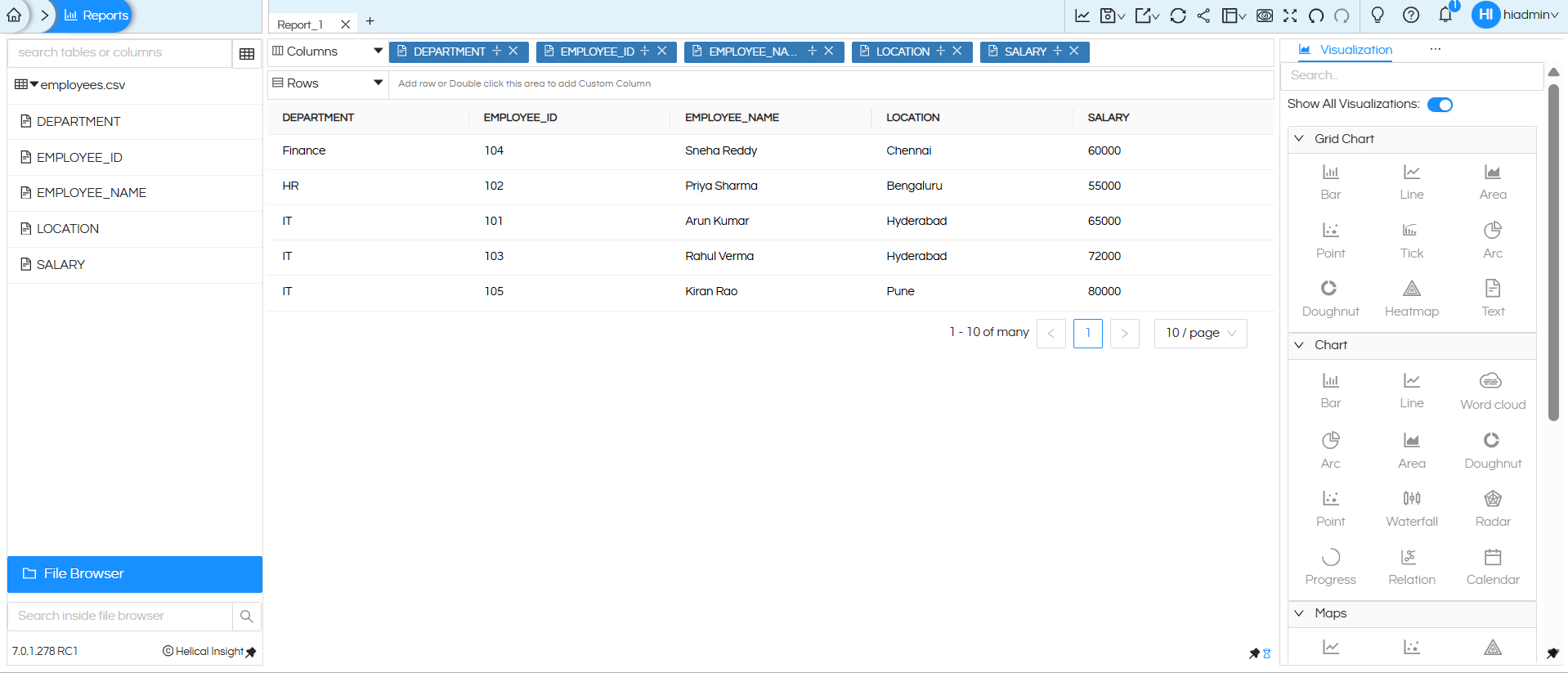
We tested Apache Drill 1.20.0 using a CSV file available through the DFS storage plugin.
SELECT *FROM dfs.`/data/employees.csv`
To extract column headers from the first row:
SELECT *FROM TABLE( dfs.`/data/employees.csv`( type => 'text', extractHeader => true ))
5. Load Metadata
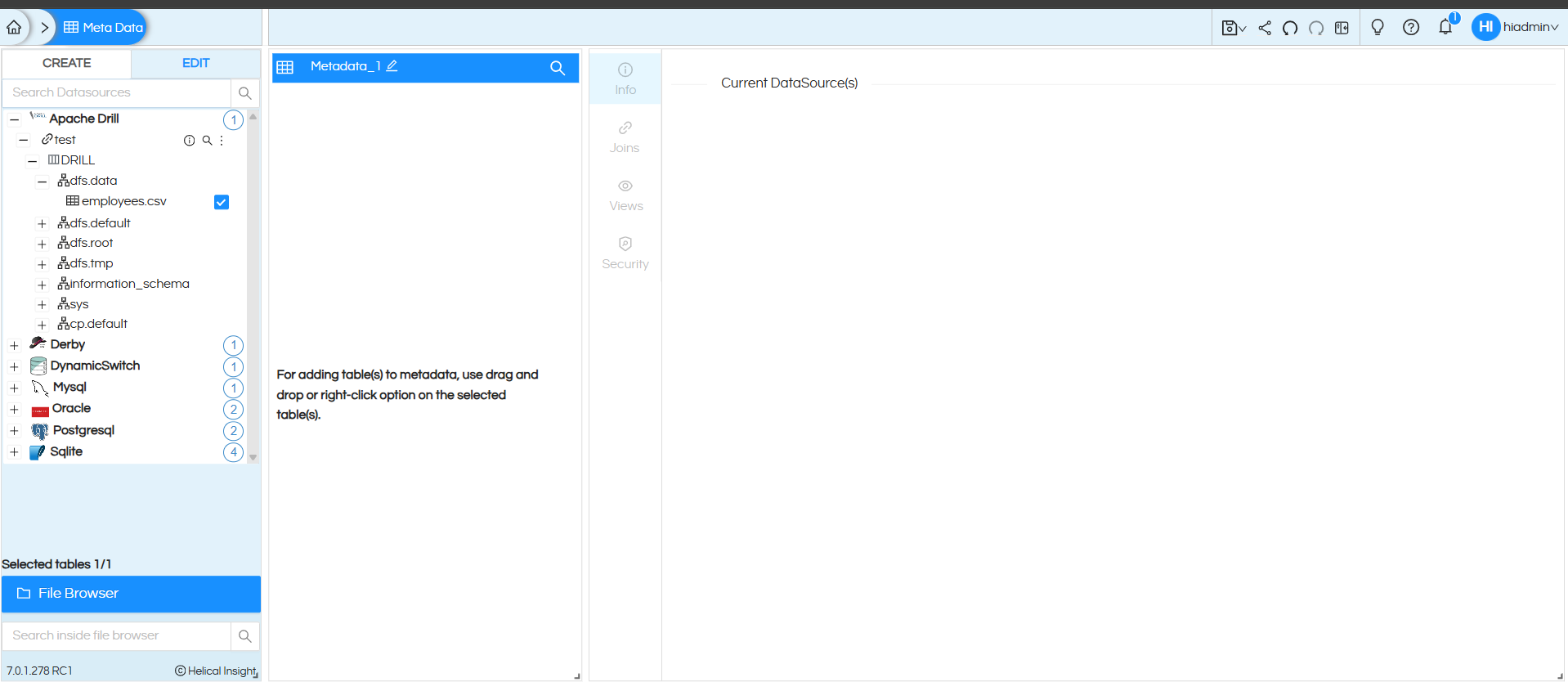
After configuring the datasource, navigate to Metadata → Apache Drill → Drill and expand the available metadata nodes. Verify that the tables and fields load correctly, then test a report query.
We also verified the JDBC connection and driver loading in our OpenJDK 25 environment.
The key resolution was to retain only the JDBC 1.20.0 driver and correct the JDBC URL template by adding drillbit= . The defaults.properties metadata settings were also investigated, but the confirmed fix was the driver cleanup and URL correction.
Hope this helps!