Hello Sunshine,
Yes, this is supported in Helical Insight.
For your use case, you should configure the API connection using the params property. The params array defines which API parameters can be populated dynamically from the SQL query at runtime.
For example, if your backend API accepts the following parameters:
- department
- energyMedium
- fromDate
- toDate
your API configuration can look like:
{
“url”: “https://your-api-endpoint”,
“method”: “GET”,
“params”: [
“department”,
“energyMedium”,
“fromDate”,
“toDate” ]
}
Then, when writing the SQL query, reference these parameters in the WHERE clause, for example:
SELECT * FROM energy_flowWHERE department = 'Production’AND energyMedium = 'Electricity’AND fromDate = '2026-01-01’AND toDate = ‘2026-01-31’;
At runtime, Helical Insight extracts the values from the WHERE clause, maps them with the configured params, and automatically invokes your API with those values. So the backend receives a request similar to:
https://your-api-endpoint?department=Production&energyMedium=Electricity&fromDate=2026-01-01&toDate…
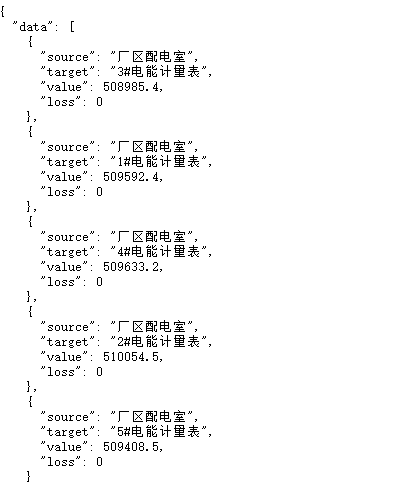
The API returns the filtered JSON, and the Sankey chart is rendered using that response.
If your API is a POST endpoint, you can instead use queryParams or postBody depending on how the API expects the parameters.
You can refer this blog for more details : Connect and use an API as a data source in Helical Insight 5.0 - Helical Insight
Thank you