Hello,
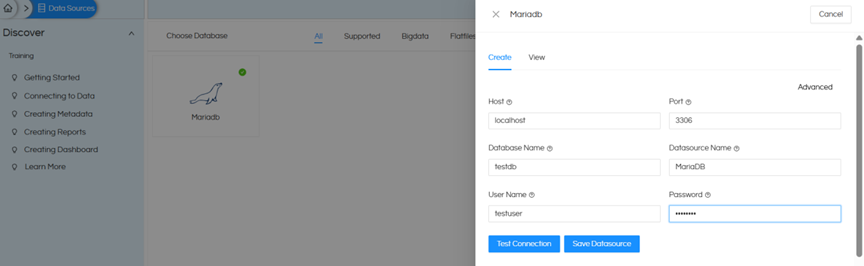
In the MariaDB connection screen, provide the basic details such as host, port, database name, username, and password.
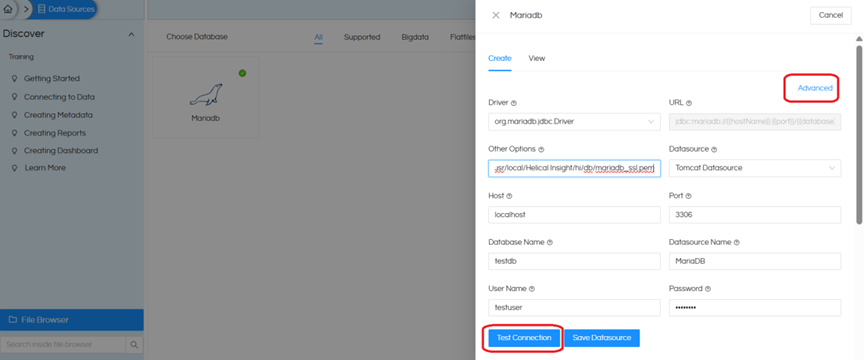
To enable SSL, go to the Advanced section and add the following parameters in the JDBC URL:
?useSSL=true&requireSSL=true&verifyServerCertificate=true&serverSslCert=/usr/local/Helical Insight/hi/db/mariadb_ssl.pem
Note :
Place the SSL certificate file inside the Docker-mounted path, for example: /opt/Helical610_852GA/hi/db.
This path will be mapped inside the container as /usr/local/Helical Insight/hi/db/mariadb_ssl.pem, which is then used in the JDBC URL.
Thanks,
Helical Insight.
