Hello,
You can solve this by using custom JavaScript in Helical Insight to modify the data after it is fetched from the database.
Why this is needed
- When aggregation (like
SUM ) is applied, NULL values may appear if there is no data.
- By default, the report shows these as NULL or blank.
- To improve user experience, you can replace them with a readable message like “No Data”.
Solution (Using PostFetch JavaScript)
Follow these steps:
- Go to Operations → PostFetch
- Add the following JavaScript code:
data = data.map(item => {

if (item.sum_travel_cost === null || item.sum_travel_cost === 'Null') {
item.sum_travel_cost = 'No Data';
}

return item;
});
What this script does
- It loops through each row of the result (
data )
- Checks if the value is
null (or 'Null' )
- Replaces it with “No Data”
- Updates the final output shown in the report
Important Notes
- Replace
sum_travel_cost with your actual column name
- The check includes both
null and 'Null' to handle different cases
- This change only affects the front-end display, not the database
After applying this, your report will show “No Data” instead of NULL values.
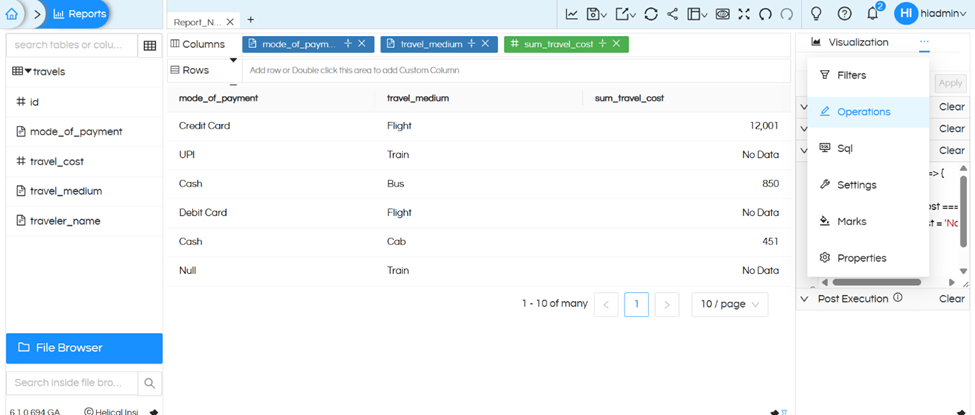
Thank You,
Helical Insight.
