Row data sequence changes in HReport when using Excel data source

Hello,

We created an Excel data source and built an adhoc report. When generating a tabular report by dragging columns into the report pane, the sequence of data rows changes.

We want the data to be displayed in the same order as in the Excel file.

Thanks,
Netta.
Hello Netta,

When you drag a dimension into the adhoc report designer pane, the system automatically applies Group By, and for numeric columns, it applies aggregation functions. This causes the data order to change.

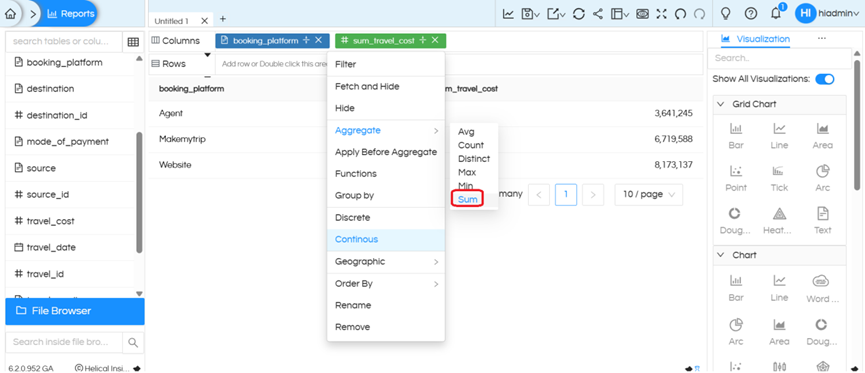
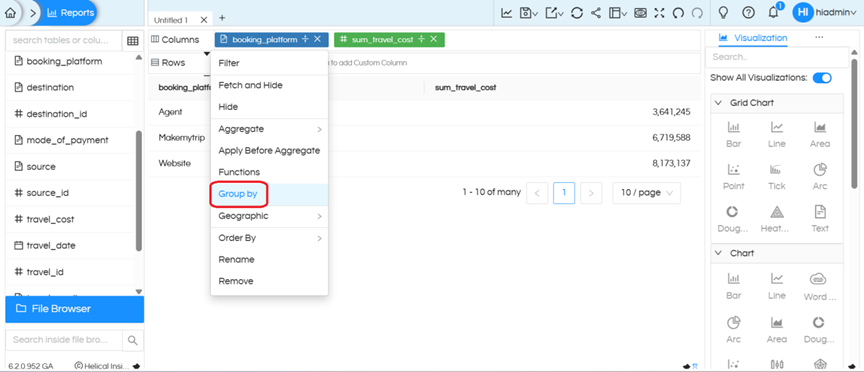
To display the data in the same sequence as in the Excel source, remove (unselect) the GROUP BY and any aggregation applied to all the columns. This will preserve the original row order

image

image

Thanks,
Helical Insight.