Hello Snow,
In Helical Insight, resources may have dependencies on other resources. Before permanently deleting a resource from the Recycle Bin, it is important to check whether any associated or dependent resources exist.
Follow the steps below:
*1. Check Associated Resources
-
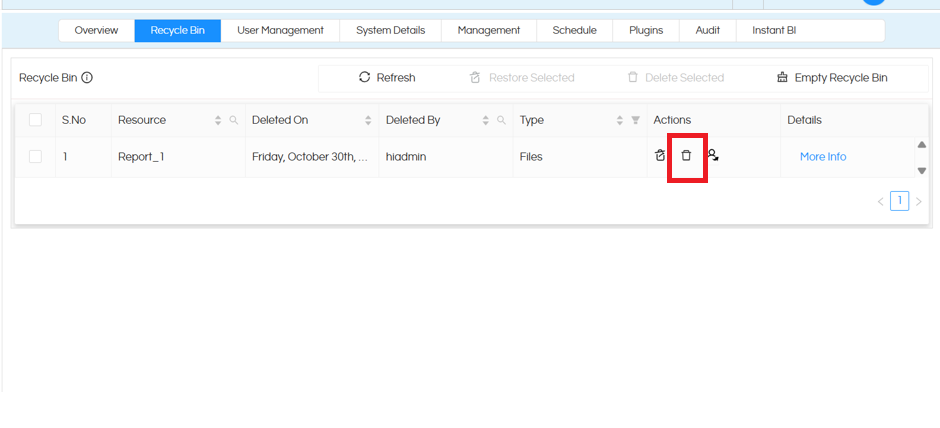
Open the Recycle Bin.
-
Select the resource that you want to permanently delete and click on delete .
-
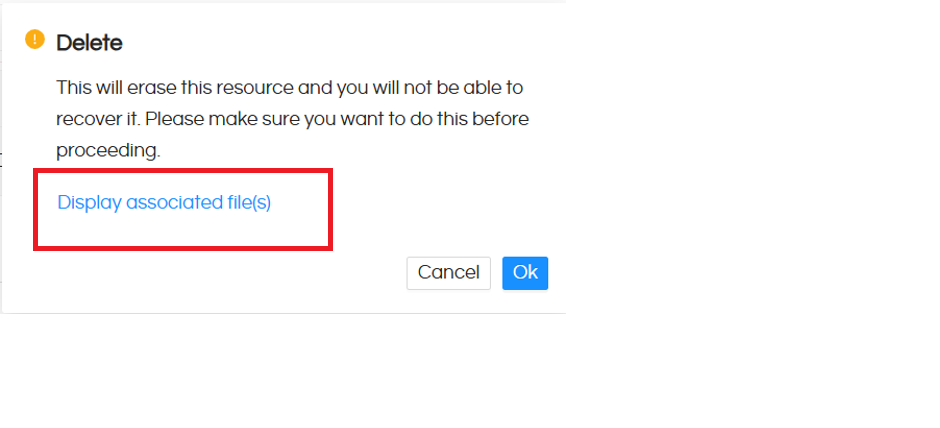
It will Display Associated files.
-
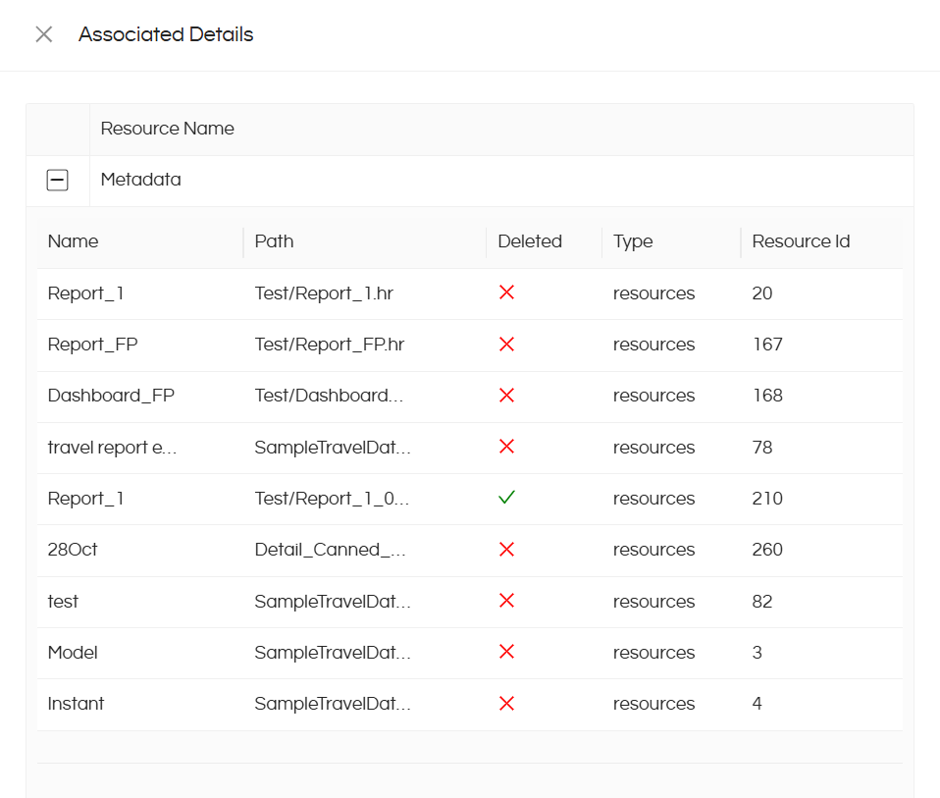
Check whether any dependent resources are associated with the selected resource.
-
If dependent resources are listed, delete those resources first, provided they are no longer required.
-
Once the dependencies are removed, try permanently deleting the main resource again.
*2. Handling Different Scenarios
-
Associated Resources Exist: If the resource has dependent items, review those dependencies and delete them first if they are no longer required.
-
NullPointerException: If all associated resources have already been deleted but a NullPointerException occurs while permanently deleting the main resource, further investigation using application logs may be required.
Thank You,
Helical Insight.
