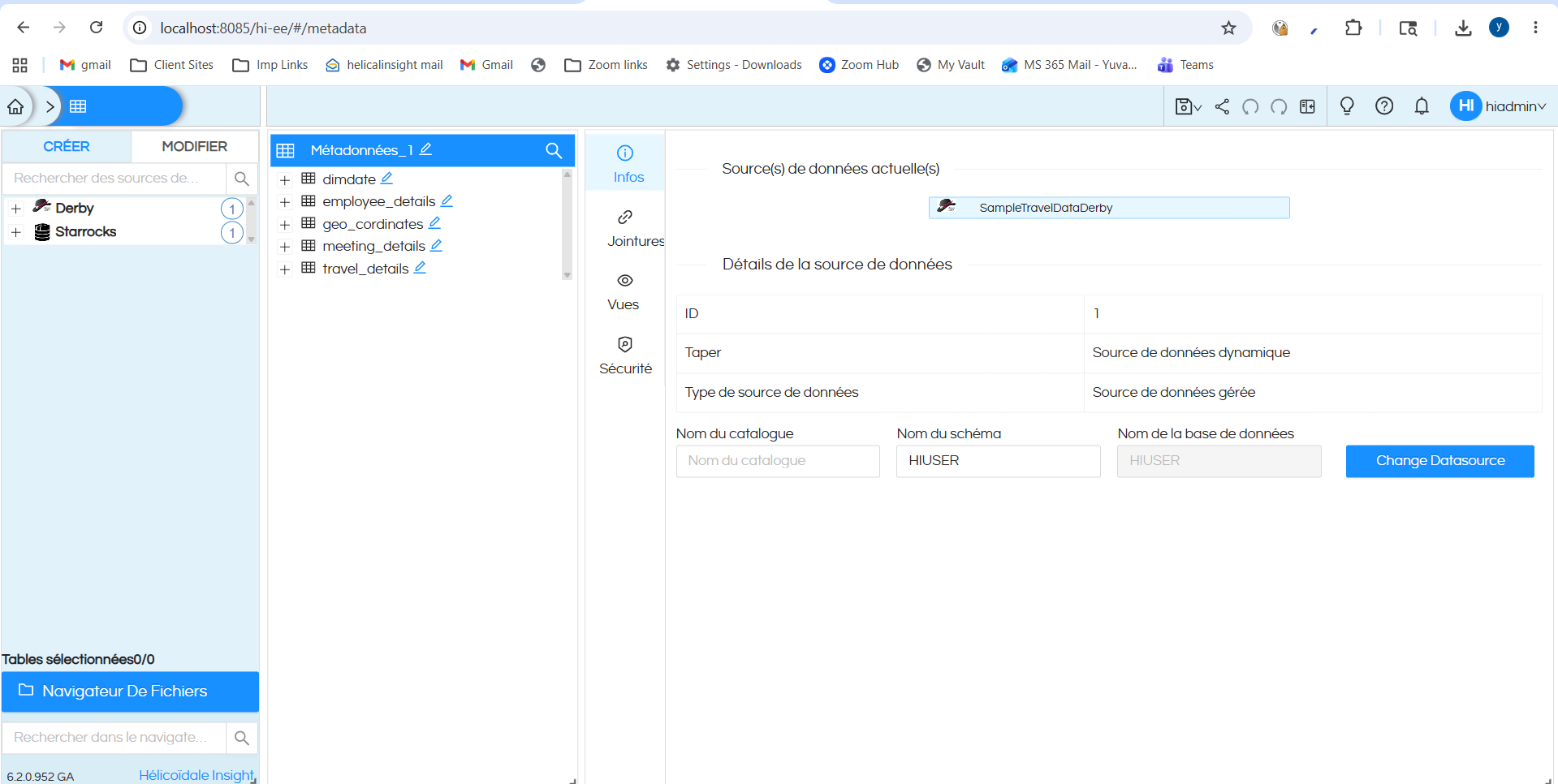
We are using Helical Insight 6.1 and trying to localize the UI from English to Chinese by following the official LocalizationPatch approach. Our goal is very simple: we only want to translate visible English UI text into Chinese, similar to how browser translation works, while keeping the original DOM structure, CSS styles, layout, icons, component positions, and interactions unchanged.
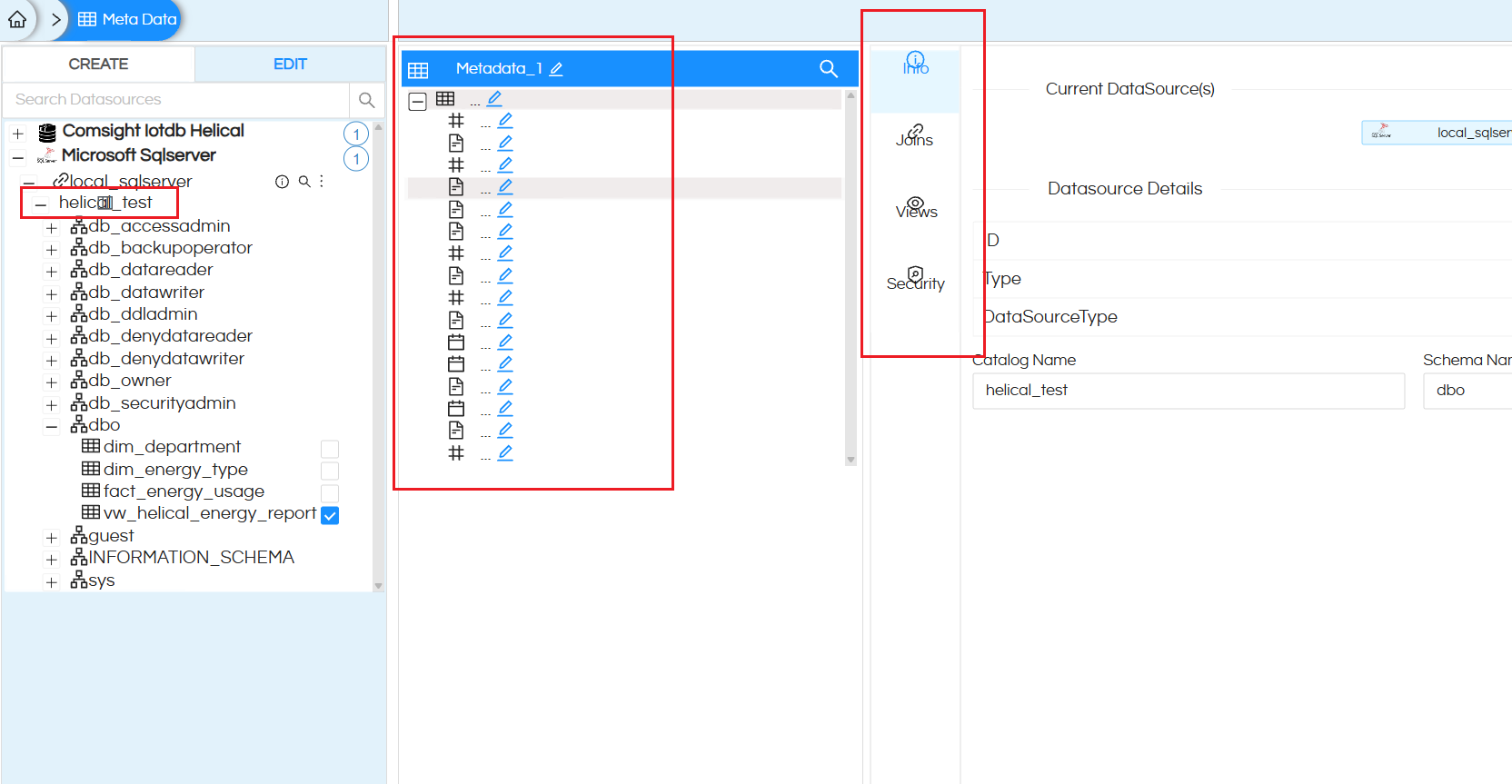
However, after applying the localization script, some UI areas become visually broken or misaligned, especially in the Metadata module. The issues include:
-
Icon font text appears as normal text or becomes misaligned.
For example, texts such as “info”, “search”, “edit”, “link”, and similar icon ligature strings seem to be treated as translatable text. These should remain untouched because they are likely used by icon fonts or UI components to render icons. -
The vertical tab area in the Metadata page becomes misaligned.
Items such as “Info”, “Joins”, “Views”, and “Security” are displayed in a narrow vertical panel. After localization, icons and labels overlap or are not aligned correctly. -
Metadata tree content should not be translated.
Database names, schema names, table names, field names, roles, and technical identifiers such as “dbo”, “sys”, “db_datareader”, “dim_department”, “fact_energy_usage”, etc. should remain unchanged. These are data objects, not UI labels. -
Some toolbar icons and small UI elements are affected.
In the Metadata editing area, some icon-based controls appear as text or become visually displaced. This suggests that the localization script may be touching text nodes that are actually used as icon ligatures or internal UI tokens. -
The original localization script seems too aggressive.
It appears to scan almost all text nodes, perform word-by-word fallback translation, do partial string replacement, and observe attribute changes. This can interfere with React or component-based UI rendering, especially when the UI updates dynamically on hover, selection, or tree expansion.
What we want is a safer localization strategy:
- Only translate exact UI text matches from a JSON dictionary.
- Do not perform word-by-word fallback translation.
- Do not perform partial or fuzzy replacement using string includes.
- Do not modify innerHTML, class names, styles, layout, or DOM structure.
- Do not translate icon ligature text such as “info”, “search”, “edit”, “link”, etc.
- Do not translate database object names, schema names, table names, field names, or technical identifiers.
- Do not observe or react to class/style/attribute changes unless absolutely necessary.
- Only translate normal visible UI labels, menu items, buttons, placeholders, and tooltips when they are safe to translate.
The expected behavior is similar to browser translation: English UI labels are replaced with Chinese labels, but the original UI layout, spacing, icons, component behavior, and interactions remain unchanged.
Could you please advise the recommended way to implement safe UI localization in Helical Insight 6.1 without breaking the Metadata page layout and icon rendering?