Hello Snow,
Yes, you can hide specific export options from the Export menu by applying custom CSS in Helical Insight.
Follow the steps below:
- Open the 2.chunk.css file located in the following directory:
".../hi-ee/css/"
- Add the following CSS code at the end of the file:
[id*="Export-popup"] > li:nth-child(1),
[id*="Export-popup"] > li:nth-child(2) {
    display: none !important;
}
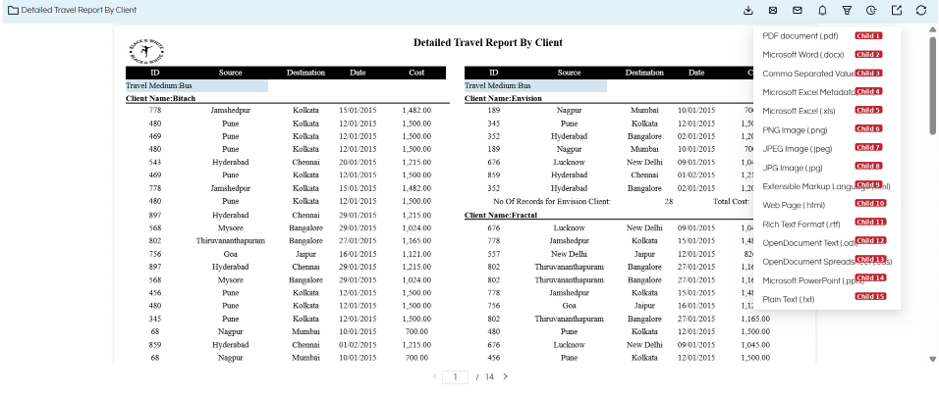
(refer below image for more clarity)
-
Save the file.
-
Perform a hard refresh of the Helical Insight application.
Note:
- The above CSS hides the first and second options from the Export menu.
- You can add more comma-separated selectors to hide additional options.
- Change the nth-child() values (1, 2, 3, etc.) based on the export options you want to hide.
This allows you to hide only the required export options while keeping the remaining options available.
Thank You,
Helical Insight.
