How to Format Numbers with Decimal Precision and Indian Number System in Canned Reports

Hello Team,

We are using open source BI Helical Insight 6.2.0.952 GA. How can we format numeric values in Helical Insight Canned Reports with:

Proper decimal formatting

Fixed decimal precision

Indian number system formatting (Lakhs/Crores)

We need outputs like:

1,25,45,678.00

Requirements:

Indian comma formatting

Always display 2 decimal places

Support Integer, Double, and BigDecimal values

Ability to use report fields or variables directly in expressions

Is there any expression available for this in the Typography/Expression section?

Thanks,
Snow
Hello Snow,

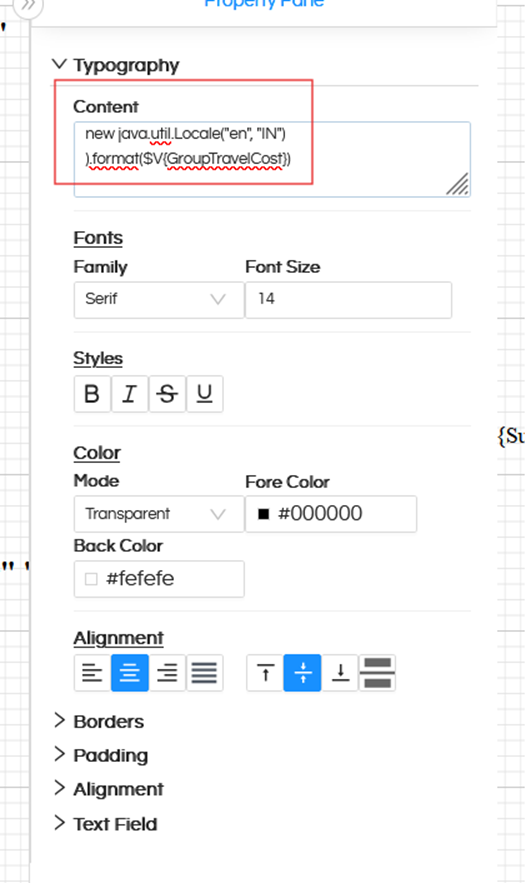
Yes, number formatting can be achieved directly in the Typography/Expression section using Java DecimalFormat and ICU locale-based formatting (as shown below).

image

Basic Indian Number Formatting

com.ibm.icu.text.NumberFormat.getInstance(

new java.util.Locale(“en”, “IN”)

).format($V{GroupTravelCost})

This formats the number using the Indian numbering system.

Example Output:

1,25,45,678

Indian Number Formatting with 2 Decimal Places

new com.ibm.icu.text.DecimalFormat(

“#,##,##0.00”,

new com.ibm.icu.text.DecimalFormatSymbols(

new java.util.Locale(“en”, “IN”)

)).format($V{GroupTravelCost}.doubleValue())

Example Output:

1,25,45,678.00

Replace $V{GroupTravelCost} with your field or variable.

Thank You,
Helical Insight.