Hello Snow,
Yes, this can be achieved in Helical Insight Canned Reports by combining SQL ranking, Print When Expressions, and Variable Calculations.
For demonstration, let us consider a travel details dataset where we want to display the Top 5 travel records based on travel cost and aggregate the remaining records into an “Others” row.
Follow the steps below.
Step 1: Prepare the SQL Query
First, use the ROW_NUMBER() window function to rank the records based on the required measure. This window function cna be slightly different based on the DB you are using.
SELECT
ROW_NUMBER() OVER (ORDER BY travel_cost DESC) AS travel_rank,
source,
destination,
travel_cost
FROM travel_details;
This query assigns a rank to each record based on travel cost in descending order.
Step 2: Configure Print When Expression
In the Canned Report designer, select the fields that should display “for the top 5 records”.
For example, apply the following Print When Expression to the Source, Destination, and Travel Cost fields:
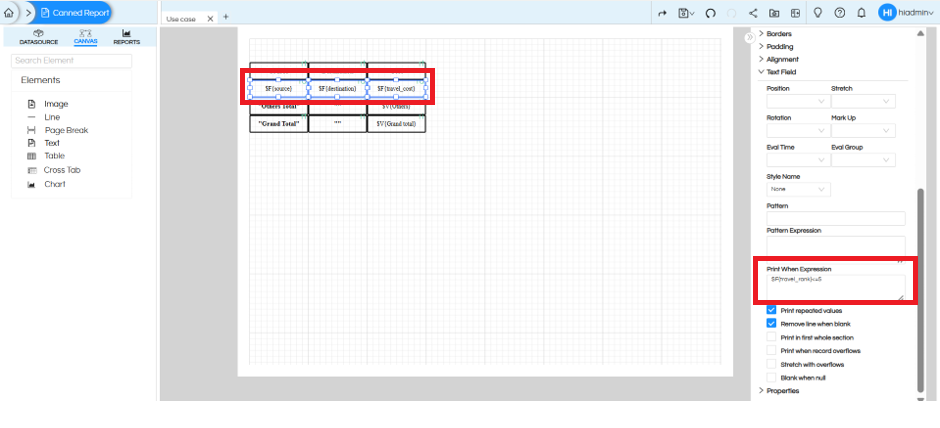
$F{travel_rank} != null && $F{travel_rank} <= 5
This ensures that only records with a rank of 5 or below are displayed individually. This will ensure top 5 are visible and no more.
Step 3: Create a Variable Calculation for Others
Navigate to Calculations and create a new calculation. (
Configure the calculation as follows:
- Select Calculation: Others
- Name: Others
- Class Name: Integer
- Calculation: Sum
- Reset Type: Report
Under the Expression field, provide:
($F{travel_rank} != null && $F{travel_rank} > 5)
? ($F{travel_cost} == null ? 0 : $F{travel_cost})
: 0
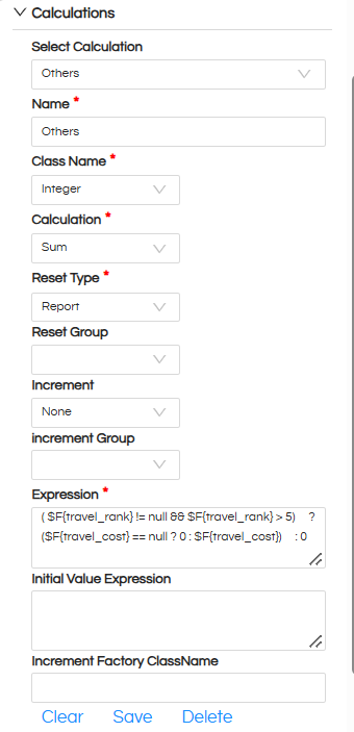
This expression checks whether the record rank is greater than 5. If so, its travel cost is included in the calculation; otherwise, zero is returned.
The Sum calculation aggregates the values of all records ranked beyond 5.
Step 4: Display the Others Row
In the report canvas, add a separate row for the Others section.
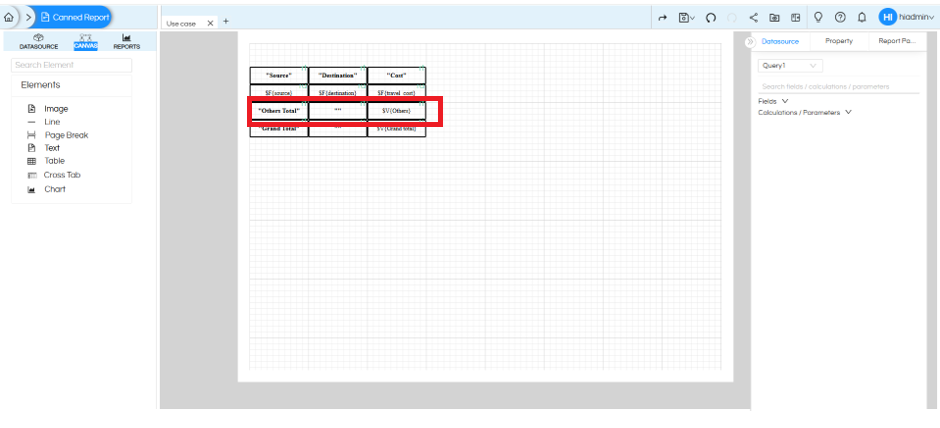
If we preview now, it will show top 5 and “others” as the 6th row.
Step 5: Configure Grand Total
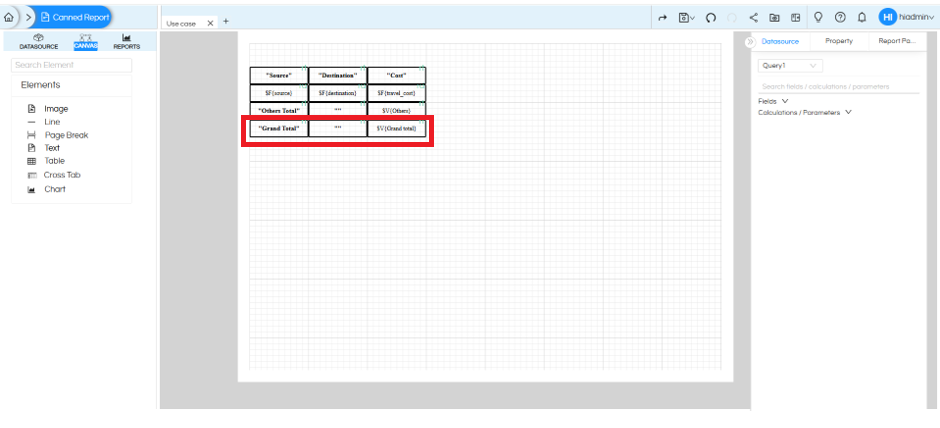
Now we will add Grand total as the 7th row at the bottom. Create another calculation for the Grand Total.
Configure it as follows:
- Select Calculation: Grand total
- Name: Grand total
- Class Name: Integer
- Calculation: Sum
- Reset Type: Report
Expression:
$F{travel_cost}
This calculates the overall total of all records.
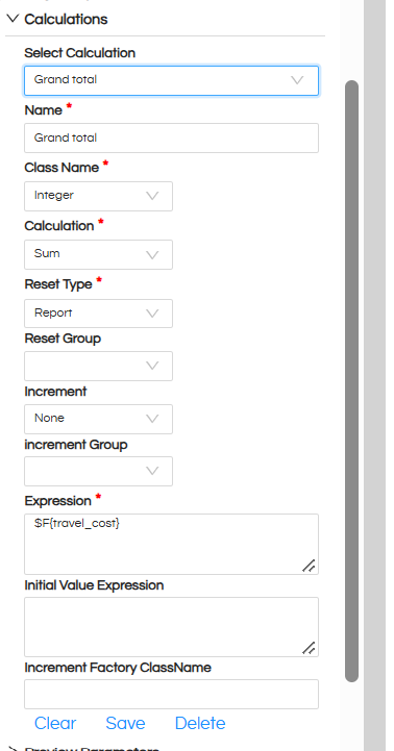
In the report canvas, add a Grand Total row and configure:
Step 6: Final Output
After configuring the above expressions and calculations, the report will display the Top 5 records individually, followed by an Others row containing the sum of all remaining records and a Grand Total row.
For example:

This approach can be reused for different datasets and business scenarios by changing the ranking field, number of records to display, and aggregation expression according to the reporting requirement.
Thank You,
Helical Insight.
