How to Change X-Axis Label name of Axis char of Grid Chart without renaming dragged field name/column name

Hello,

We are using the open-source BI tool Helical Insight version 6.0 and would like to customize the X-axis label in a chart visualization.

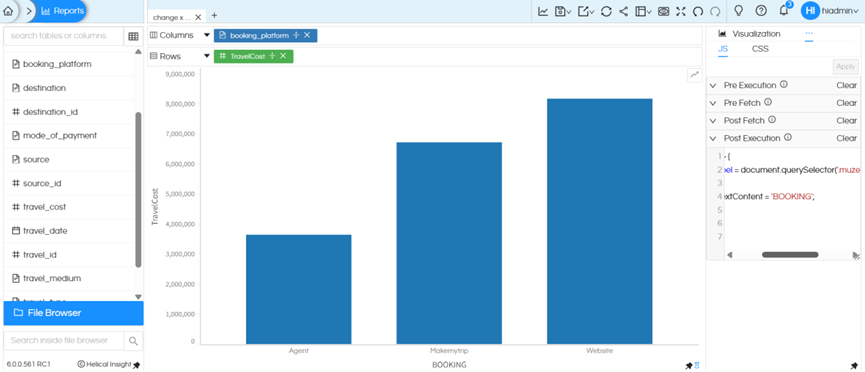
Currently, the label is auto-generated based on the column name (e.g., booking_platform), but we want to replace it with a custom label such as “BOOKING”.

Could you please guide us on how to change the X-axis label name without changing the column name

Thanks,
Netta.
Hello Netta,

The best and most ideal way is to simply double click on the dragged column and rename the column. That is most easiest also.

There is another method also though.

Please follow the below steps:

Click on the three dots to the right of OperationsJSPost Execution

Add the JavaScript code under Post Execution

setTimeout(() => {

const axisLabel = document.querySelector('.muze-axis-name-x-0-0');

if (axisLabel) {

axisLabel.textContent = 'BOOKING'; // provide name to be replaced

}

}, 200);

image

Click Apply and generate the report

This script updates the X-axis label dynamically after the chart is rendered

Thank You,
Helical Insight.