How to Apply Conditional Color Formatting in Card Widget in Helical Insight 6.0

Hello Helical Insight,

We are using the open-source BI tool Helical Insight version 6.0 and would like to apply conditional color formatting to values displayed in a Card widget.

Our requirement is to dynamically change the color of the value based on thresholds. For example:

If the value is greater than 10,000,000 → display in red

If the value is greater than 5,000,000 → display in blue

Otherwise → display in green

Thanks,
Netta.
Hello Netta,

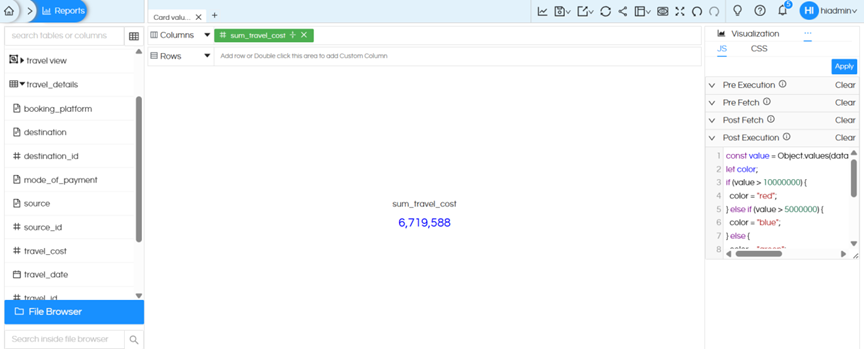
This can be achieved by writing JavaScript code and injecting it in OperationsJSPost Execution. Refer to the screenshot below.

image

code :

const value = Object.values(data[0])[0];

let color;

if (value > 10000000) {

color = "red";

} else if (value > 5000000) {

color = "blue";

} else {

color = "green";

}

const element = document.querySelector(".ant-statistic-content-value");

if (element) {

element.textContent = value.toLocaleString();

element.style.color = color;

}

Note : Update conditions as per your requirement

Thank You,
Helical Insight.