Hello Vema,
Yes, it is possible to hide the filter icon and disable its click functionality by applying dashboard-level CSS.
This can be achieved by targeting the filter icon class and related menu item styles.
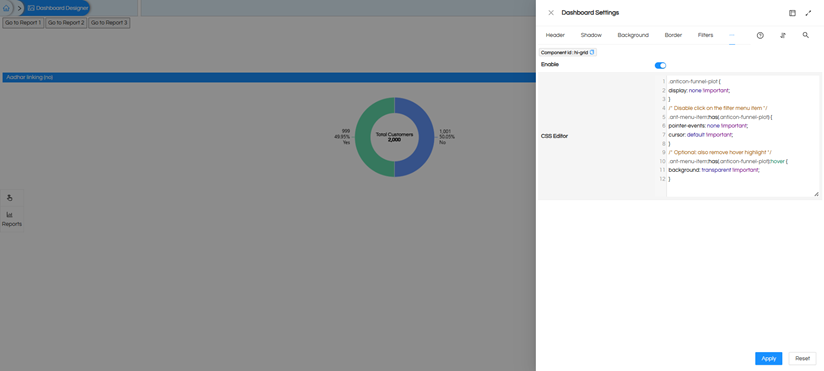
/* Hide filter icon */
.anticon-funnel-plot {
    display: none !important;
}
/* Disable click on the filter menu item */
.ant-menu-item:has(.anticon-funnel-plot) {
    pointer-events: none !important;
    cursor: default !important;
}
/* Optional: remove hover highlight */
.ant-menu-item:has(.anticon-funnel-plot):hover {
    background: transparent !important;
}
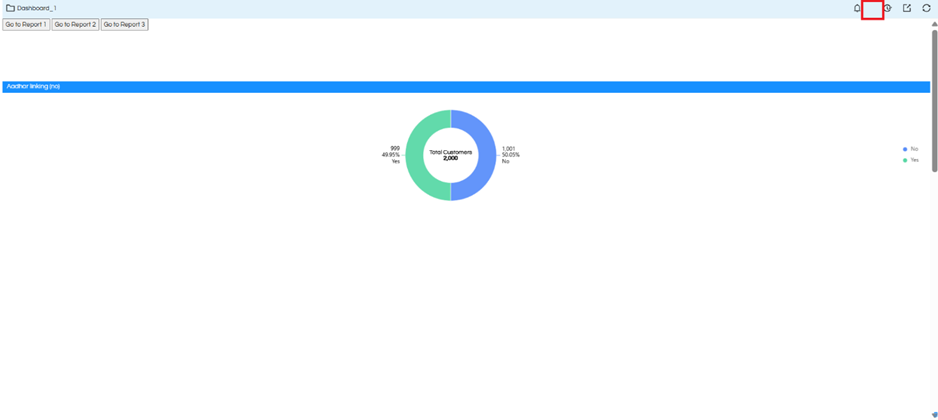
This will hide the filter icon and ensure that its click functionality is disabled across the dashboard.
You can also put this in general CSS file and invoke it, and thus this filter icon will get removed from all the panels (rather than putting it individually across all the dashboards).
Thanks,
Helical Insight.
