Hi Snow,
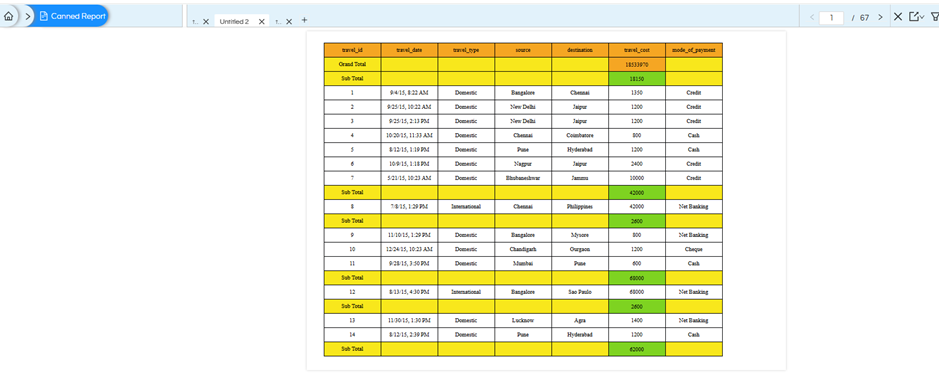
I have created a table using the travel_details dataset and grouped the table using travel_type
I need to display both Grand Total and Subtotal at the top, before the table/detail records.
Process
-
Create the table with the required fields.
-
Create a group using travel_type.
-
For the Subtotal, create a calculation:
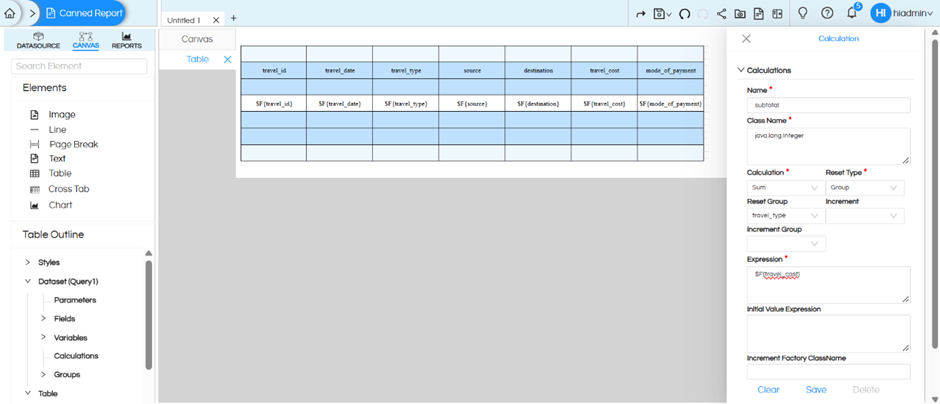
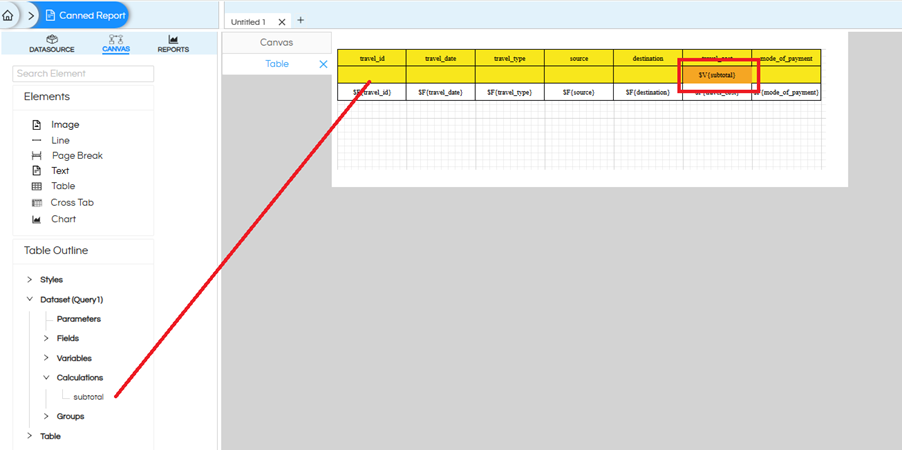
- Add the $V{subtotal} field to the Group Header - travel_type so that the subtotal appears before the group’s detail records. For the Sub Total text field, set Eval Time = Auto.
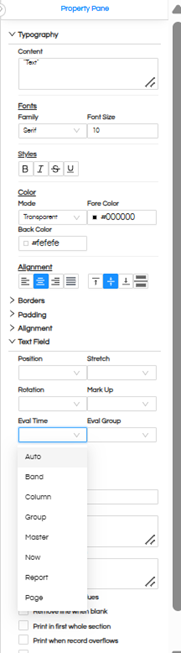
For the Grand Total, create another calculation:
-
Name: Grand total
-
Calculation: Sum
-
Reset Type: Report
-
Expression: $F{travel_cost}
-
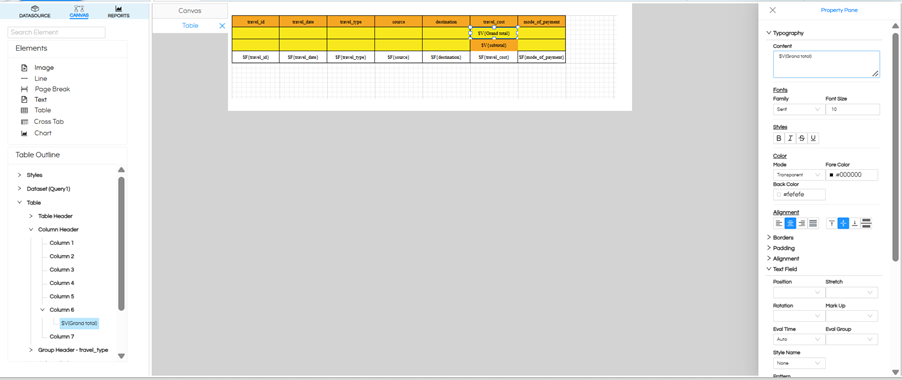
In the Table Outline, use the Create Group option to create a new group above the existing travel_type group.
-
Use the newly created group’s Group Header to place the Grand Total.
-
Add $V{Grand total} to this Group Header along with the required Grand Total label.
-
For the Grand Total text field, set Eval Time = Auto.
-
For the Subtotal text field placed in the travel_type Group Header, set Eval Time = Auto.
Alternative Approach
If creating a group from the Table Outline is not suitable, a dummy group can be created from the query, for example using a condition such as:
1 = 1
This dummy group can then be used to hold the Grand Total at the top.
Output :
Thank You,
Helical Insight.
