Hello,
We are using open source BI Helical Insight version 6.1.0.852 GA. By default, the “Drill Through Default” option is visible in HReport drill-through when we click on it. How can we hide it?
Thank You,
Netta.

Hello,
We are using open source BI Helical Insight version 6.1.0.852 GA. By default, the “Drill Through Default” option is visible in HReport drill-through when we click on it. How can we hide it?
Thank You,
Netta.
Hello,
In Helical Insight, the “Drill Through Default” option appears by default in HReport when drill-through is enabled.
To hide this option, you can apply CSS.
Click on the three dots on the right side of Visualization, then go to Operations > CSS.
Provide the below CSS and click on Inject:
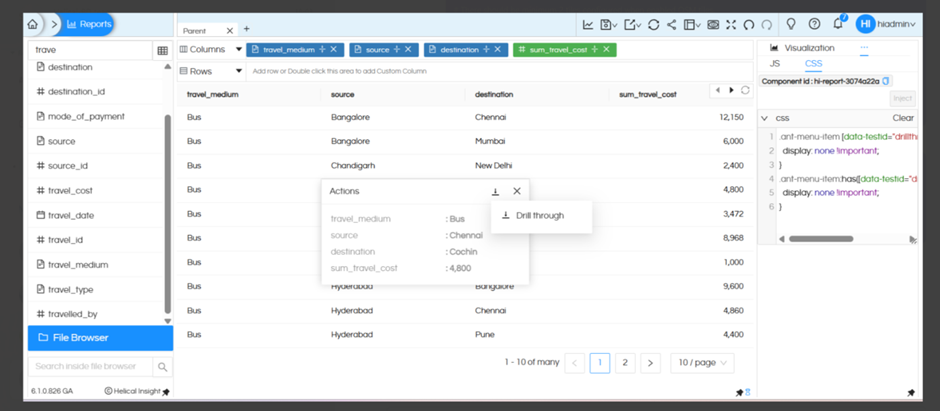
.ant-menu-item [data-testid="drillthrough-default-button"] {
  display: none !important;
}

.ant-menu-item:has([data-testid="drillthrough-default-button"]) {
  display: none !important;
}
This CSS hides the Drill Through Default option. You can also append the component id as well in the CSS. You can see the component ID below where CSS is written.
Note : From version 6.2.0.952 GA onwards, the Drill Through Default option will not be available by default, it can be configured if required.
Thank You,
Helical Insight.