Hello Netta,
Yes, you can change the background color at the report level using custom CSS by targeting the specific component ID of the report.
To apply this:
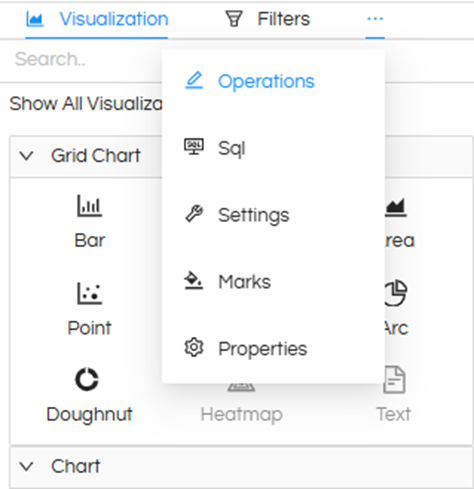
• Hover on the Meatball icon beside the filter
• Click on Operations
• You will see two options: JS and CSS
• Click on CSS and add your styling
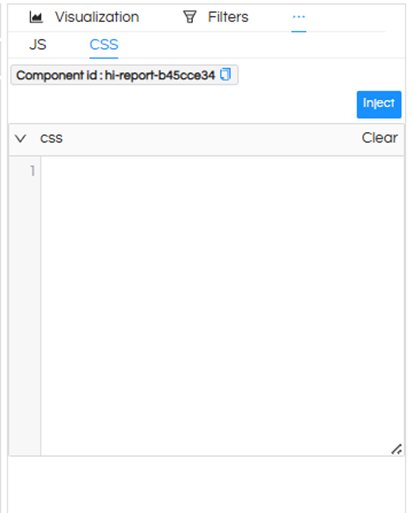
Example CSS:
#hi-report-d9fdc51b {
background: #f2f2f2 !important;
}
Replace the component ID (hi-report-XXXX) with your actual report ID.
This approach allows you to customize the background color for any chart or report in Helical Insight.
However if you are using the report in a dashboard, then there is a direct right click UI driven option itself allowing you to specify background color, border, shadow, header and many other things. Read how to do that in dashboard here : Right-Click Operations In Dashboard Designer - Helical Insight
Thank You,
Helical Insight Team.
