Hello Snow,
In cases wherein the field is not being identified as a number, then these thousand separator expressions might not work.
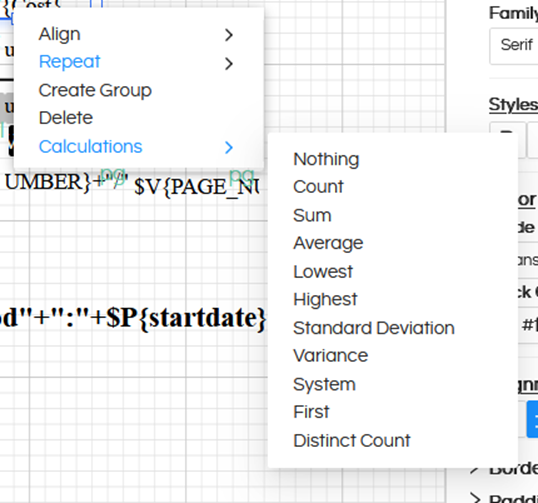
Ideally a field which is being identified as a number, on the right click in calculations it will show a lot of options.
If you right click on the field and if you see ONLY these 2 values, then it means it is not being identified as a number.
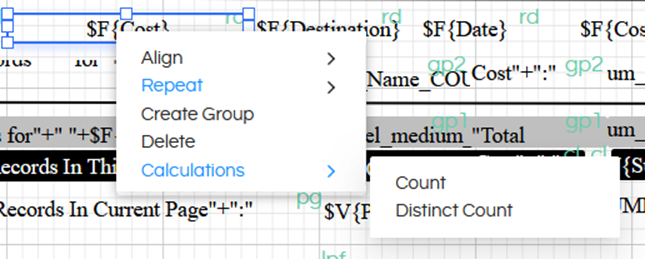
In those cases, first it is important to convert the field into a number and then apply thousand separator and other kind of expressions.
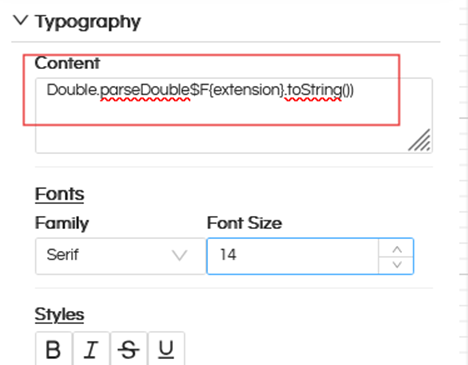
Put below kind of expression. $F{extension}. Should be changed to your respective field name
Double.parseDouble$F{extension}.toString())
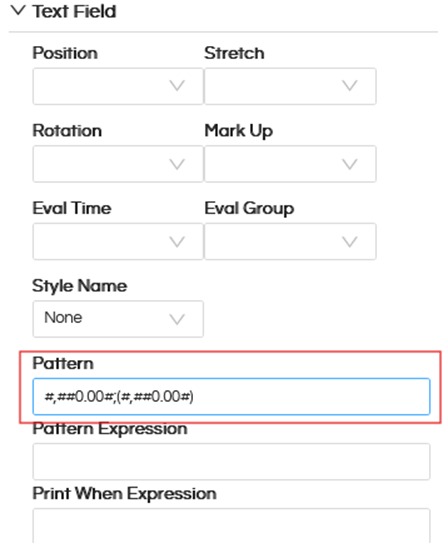
Then you can go ahead and apply expressions like (#,##0.00#;(#,##0.00#)) in the Pattern
Thank You,
Helical Insight.
